nix77 Mobile App
Mobile-first gaming has become the norm across Southeast Asia, yet many platforms treat their app as an afterthought. We at nix77 built our mobile experience from the ground up—not as a smaller version of the web app, but as a purpose-built interface for live-dealer tables, sportsbook betting, and slot games on phones with varying data speeds. Our Android APK and iOS web-app paths both load live-casino feeds, Liga 1 odds, and payment screens in seconds, even on 3G connections.

- Update
- SHA256 Match
- LoginOTP Verification
- and
The nix77 app centralizes your account management, withdrawal requests, and document verification in one place. You can check your balance, view recent transactions, update your payment methods (DANA, e-wallet, mobile banking, local payment, online payment, e-wallet, or bank transfers), and contact support directly from your phone. Push notifications alert you to tournament starts, deposit confirmations, and withdrawal status—so you stay informed without logging in repeatedly.
We support Android 7 and iOS 12 and above. Installation takes under a minute via APK download on Android or a simple browser bookmark on iOS. No app-store review delays, no version conflicts. Once installed, the app works offline for account views and game browsing; live-dealer and betting features require an active data connection, which we optimize to use minimal bandwidth during low-signal periods.
How to access the nix77 app
We offer three installation paths: native Android APK, iOS via home-screen bookmark, and a responsive web interface. All three sync your account in real time. Choose the method that fits your device and preference.
Installation steps for nix77
- Download. On Android, visit nix77.id and tap the Android APK button; the file downloads to your device. On iOS, open nix77.id in Safari and proceed to the next step.
- Install. On Android, go to Settings → Apps → Unknown Sources (or Apps & Notifications → Advanced → Install Unknown Apps), enable nix77, and open the downloaded APK file. On iOS, tap Share → Add to Home Screen and name the shortcut "nix77".
- Register or sign in. Open the app, create a new account with your email and mobile number, or log in if you already have credentials. Complete email verification within subject to verification.
- Verify your identity. Upload your KTP, passport, or driver's licence and proof of address (utility bill or bank statement). Our team reviews documents within 24 hours. Once approved, you can deposit funds.
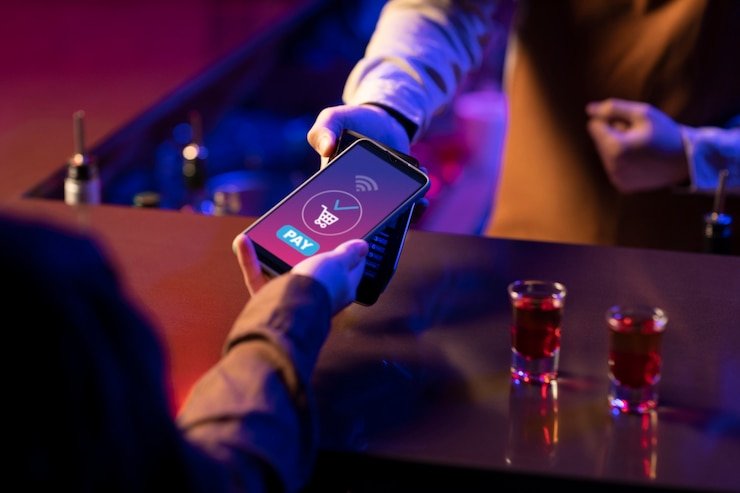
App vs. browser: strengths of the nix77 mobile app
Our native Android APK and iOS web-app wrapper offer persistent caching, offline account views, and push notifications that the mobile browser cannot match. When you open the nix77 app after a session, your recent bets, account balance, and game history load instantly from local cache; the app then syncs with the server to show game information and withdrawals. Browser sessions require a fresh network request each time, which adds latency. The app also delivers push alerts for tournament starts (Liga 1, Piala AFF, Champions League fixtures), deposit status, and withdrawal confirmations—keeping you informed even when the app is closed. For users on unstable 3G or 4G connections, the app's compression and offline-fallback modes ensure playability when bandwidth drops briefly during heavy-usage periods around Idul Fitri, Idul Adha, or major sports events.
App and browser share the same account
Log in on the app, and your browser session on nix77.id sees the same balance and transaction history. Switching between devices is seamless; your account remains synchronized in real time across all platforms.
Device compatibility and system requirements
We support Android 7.0 and above on phones and tablets. The APK is compatible with ARM and x86 architecture. For iOS, we support version 12 and above on iPhone and iPad via Safari home-screen bookmark. The nix77 app requires minimal storage—under 50 MB of cache on Android—and does not require special permissions beyond internet access and, optionally, camera access for document uploads during KYC verification. Your phone's existing contacts, photos, or location data are never accessed by nix77 without explicit user consent during document upload.
Troubleshooting common app issues
If your Android device shows an "Unknown app" warning, go to Settings → Apps & Notifications → Advanced → Install Unknown Apps and toggle nix77 to "Allow". Some devices block APK installs by default to protect against malware; nix77's APK is signed with our certificate, so enabling this setting is safe for our app. If the app crashes after update, clear the app cache (Settings → Apps → nix77 → Storage → Clear Cache) and restart. On iOS, if the home-screen shortcut does not appear after tapping "Add to Home Screen", ensure you are using Safari and that your device has at least 100 MB of free storage. If you see a certificate error when opening the app, your device's date and time may be incorrect; check your system settings and correct the time. Contact our support team via in-app chat if issues persist.

Data, permissions, and account security on nix77
The nix77 app transmits your login, account, and payment data over encrypted HTTPS connections. Your password is never stored on your device; only a session token is cached locally for convenience. When you log out, the token is deleted immediately. During KYC verification, your identity documents are encrypted end-to-end before upload and stored in a secure vault separate from your account balance and transaction records. We do not sell, share, or third-party your data except as required by court order or regulatory investigation in supported jurisdictions. Our privacy policy details retention periods (typically seven years for compliance records) and your rights to request data deletion after account closure. Push notifications are opt-in; you can disable them in the app's settings without affecting your account or gaming access.
Getting help with the nix77 app
Our support team is available via in-app chat in English and Indonesian. Response windows are typically under one hour during business hours (09:00–22:00 Jakarta time). For account-recovery issues, document re-uploads, or payment troubleshooting, use the in-app "Contact Support" menu. We can assist with APK installation problems, iOS home-screen setup, login errors, and two-factor authentication resets. If you forget your password, tap "Forgot password?" on the login screen; we email a reset link to your registered address within subject to verification. Account access is available only where local law permits; if you registered from a jurisdiction where nix77 later becomes restricted, your account may be suspended or closed.